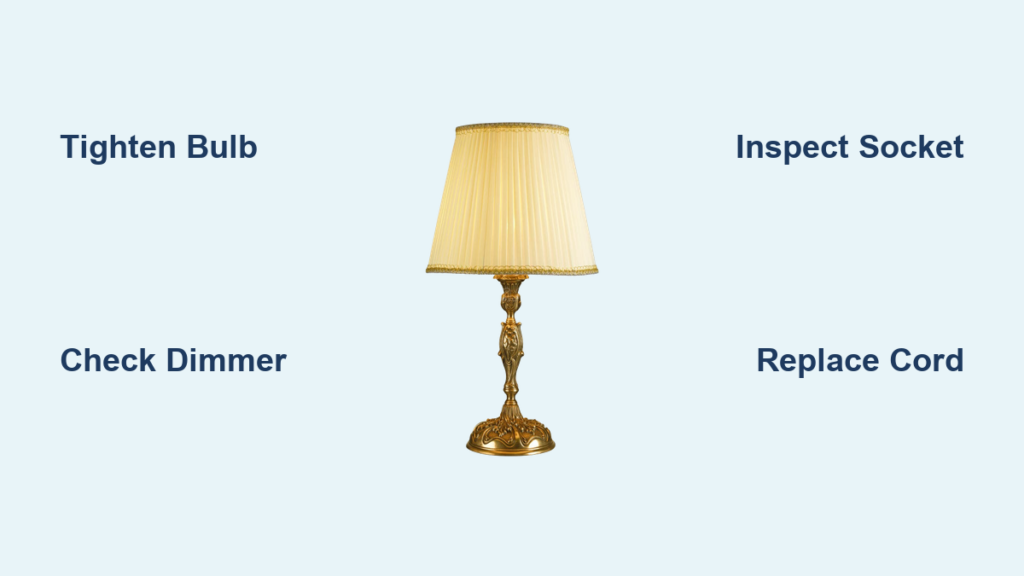
Flickering lights aren’t just annoying—they can be a red flag for something serious. If you’re asking, “Why is lamp flickering?” you’re not alone. Millions of homeowners experience this issue, and while it is sometimes as simple as a loose bulb, it can also signal dangerous electrical faults like arcing, overloaded circuits, or failing wiring. Left unchecked, these problems can lead to fires, costly damage, or health concerns like eye strain and headaches. This guide breaks down every possible cause of lamp flickering and delivers step-by-step fixes, safety alerts, and expert-backed solutions.
Start with the Bulb: Most Common Flicker Causes
A loose bulb is the number one reason for flickering. When the bulb is not fully screwed in, the connection between the base and socket becomes intermittent. This affects both the threaded sleeve and the center contact tab. Turn off the power, let the bulb cool, then gently tighten it clockwise until snug. Do not overtighten it can damage the socket. If tightening does not help, try a different bulb. Test the suspect bulb in another fixture. If it flickers there, the bulb is faulty.
All bulbs wear out, but failure looks different by type. Incandescent and halogen bulbs experience filament breaks or sags that cause flicker before total failure. LED bulbs have internal drivers that convert AC to DC, and when these degrade or fail, flickering occurs. Even new LEDs can flicker due to manufacturing defects. Fluorescent bulbs may flicker at startup, which is normal, but persistent flicker means the bulb or ballast is failing. Replace any bulb showing dimming, inconsistent light, or flicker that worsens over time.
Fix Dimmer Switch Problems
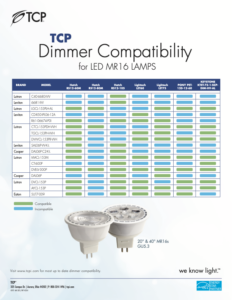
Putting a non-dimmable LED on a dimmer causes flickering, buzzing, and early failure. Always check the bulb packaging for dimmable labeling. If you are unsure, replace it with a known dimmable model. Old dimmers use TRIAC technology that chops the electrical waveform, and LEDs struggle to interpret this signal.
Replace outdated dimmers with trailing-edge dimmers designed for low-wattage electronics. These provide smoother control and eliminate flicker. Also verify the total wattage of your bulbs meets the dimmer minimum load, often 25W to 60W. Five 6W LEDs equal 30W total, which may just meet the threshold, but fewer could cause instability. If you cannot meet the minimum load, install a shunt resistor across the circuit to stabilize the dimmer without affecting light output.
Inspect the Light Socket
:max_bytes(150000):strip_icc()/replace-a-light-socket-1152456-05-c5ea0f0150924f36983ffe580a3f1859.jpg)
A worn or corroded socket prevents solid electrical contact. Signs include blackening or pitting inside the socket, a center tab that does not spring back, and flickering that continues after bulb replacement. Turn off the breaker, remove the bulb, and check the socket. If damaged, replace it. This is a simple DIY job for table lamps or ceiling fixtures.
Clean sockets occasionally with a dry cloth. In humid areas like bathrooms or basements, use moisture-resistant fixtures. Avoid using bulbs with higher wattage than the fixture rating because it overheats the socket and degrades connections.
Test the Switch and Cord
A worn toggle switch can cause flickering when you touch it or at random times. If the switch feels loose, clicks weakly, or sparks when flipped, it is failing. Turn off the breaker and replace it with a new toggle or rocker switch. If you are not experienced with wiring, hire an electrician, especially for three-way or dimmer switches.
For floor or table lamps, inspect the power cord. Frayed wires, kinks, or a damaged plug can interrupt power. Unplug the lamp and wiggle the cord near the plug and base while it is on. If the light flickers during movement, there is a loose connection. Replace the cord or plug. In older lamps, internal wire connections can loosen, so open the base and re-secure terminals if safe to do so.
Rule Out Voltage Fluctuations
When your microwave, AC, or washing machine kicks on, lights may dim or flicker briefly. This is normal if it lasts less than a second. But if flickering is severe or lasts longer, it means voltage is dropping too far. LEDs are especially sensitive because they lack the thermal inertia of incandescent bulbs.
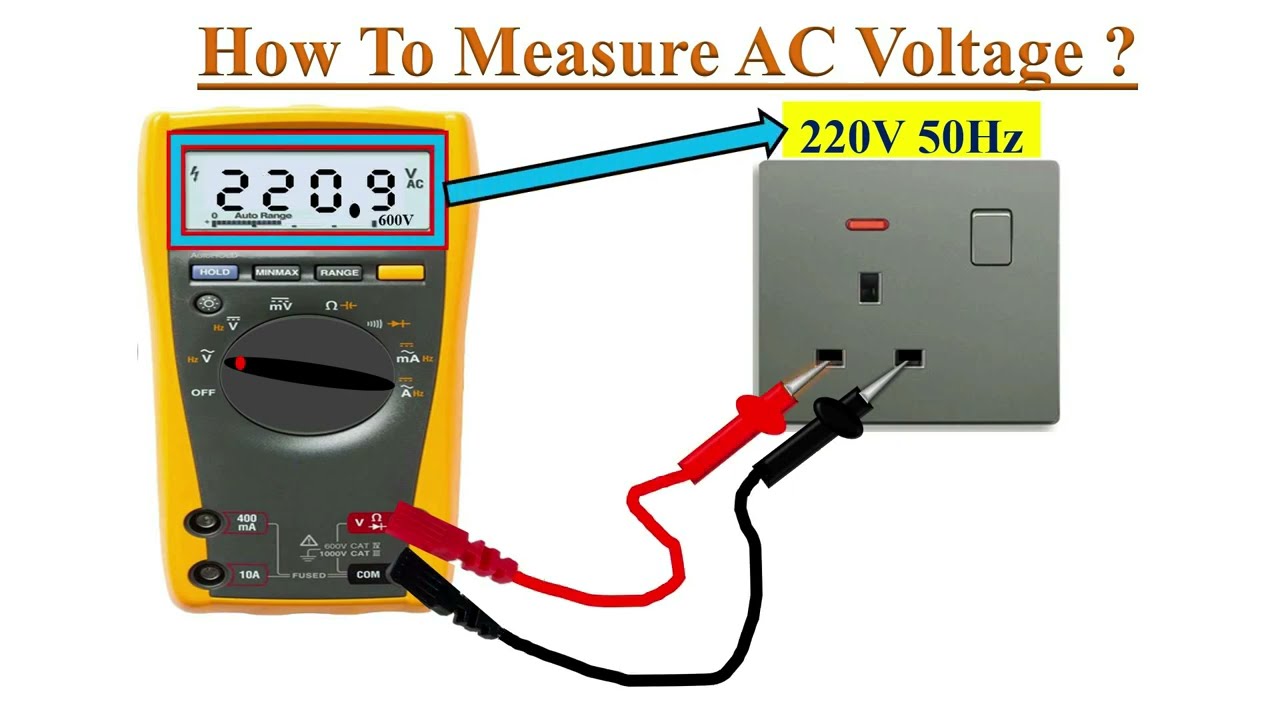
Test outlet voltage during flickering with a digital multimeter set to AC voltage. Insert probes into the outlet slots and record voltage when lights are stable and when flickering. In North America, normal voltage is 120V with an acceptable range of 115V to 125V. If it drops below 110V, contact an electrician. In Europe and UK, 230V is standard.
High-draw appliances should be on their own circuit. If your kitchen lights dim every time the fridge starts, they are likely on the same line. A dedicated circuit prevents interference and improves safety.
Prevent Circuit Overloads
Too many devices on one circuit cause voltage instability and flickering. Signs include flickering when using a hair dryer, vacuum, or space heater, frequent breaker trips, and multiple lights dimming together. Most home circuits are 15 to 20 amps. Calculate your load by dividing watts by volts to get amps. For example, a 1,800W heater on 120V equals 15 amps, which is enough to max out a 15A circuit.
Unplug devices from overloaded outlets. Avoid daisy-chaining power strips. Plug high-wattage appliances into different circuits. If flickering persists, consult an electrician about adding new circuits.
Inspect the Electrical Panel

Old or worn breakers cannot maintain steady current, leading to flickering even without overload. This is common in homes over 25 years old. Warning signs include warm breakers or discolored panel parts, breaker trips with no obvious cause, and flickering across multiple rooms. Turn off the main power and feel the breakers. If any are hot, call an electrician immediately.
Knob-and-tube or aluminum wiring increases fire risk and flicker likelihood. These systems cannot handle modern electrical demands. If your home has outdated wiring, schedule a professional assessment. Rewiring improves safety, reduces flicker, and supports today electronics.
Diagnose Loose Wiring
Loose connections in outlets, switches, or junction boxes create resistance and heat that can exceed 140F. This can ignite surrounding materials. This is a fire hazard. Red flags include flickering triggered by walking near a wall, buzzing or popping sounds from outlets, burning smell or discolored faceplates, and warm switch or outlet cover.
Do not open walls or panels yourself. Turn off the breaker and call a licensed electrician. Loose wiring requires professional diagnosis and repair. Install arc-fault circuit interrupters to detect dangerous arcing and shut off power automatically.
Rule Out Utility-Side Issues
If your whole house flickers, especially during storms or peak hours, the problem may be outside. Ask neighbors if they see similar issues. If yes, contact your power provider. Common utility problems include loose connections at the transformer, storm damage to power lines, and animal interference like squirrels in substations.
Your utility company can send a technician to inspect service cables, the meter box, and pole connections. This is free in most areas and can resolve persistent flickering with no internal cause.
Address Bulb-Specific Flicker Causes
LEDs are sensitive to power quality, and even minor voltage changes cause flicker. Use flicker-free LEDs compliant with IEEE 1789 standards. Choose bulbs with high-quality drivers that smooth out power fluctuations. Avoid enclosed fixtures unless the bulb is rated for it because overheating triggers thermal protection flicker. Pair with compatible smart switches and hubs.
Flickering T8 or CFL bulbs often mean the ballast is failing. Replace magnetic ballasts with electronic ballasts for smoother light. Or switch to LED T8 tubes, either plug-and-play or ballast-bypass. LED retrofits eliminate ballast-related flicker and last longer.
Smart bulbs flicker due to Wi-Fi signal drops, firmware bugs, overheating in enclosed fixtures, or power supply noise. Reboot your router and smart hub. Update bulb firmware via the app. Ensure strong 2.4 GHz Wi-Fi signal. Use only in open or rated enclosed fixtures.
Follow a Flicker Diagnosis Checklist
Isolate the scope first. One lamp flickering points to bulb, socket, or cord. Multiple lights in one room mean check circuit, switch, or shared wiring. Whole house flickering requires investigating the panel, main connections, or utility.
Observe the pattern. Flickers when appliances start indicates voltage sag. Only when dimmed means dimmer incompatibility. Constant flicker suggests failing bulb or driver. Intermittent flicker points to loose connection.
Perform basic tests. Tighten all bulbs. Swap in a working incandescent bulb to test for dimmer issues. Turn off breakers one by one to find the affected circuit. Use a multimeter to check voltage during flicker.
Escalate when needed. If basic fixes fail, or you see sparks, smell burning, or feel warm outlets, stop and call an electrician.
Understand the Safety Risks
Flickering caused by loose wires, arcing, or overloaded circuits can start fires. According to the Electrical Safety Foundation International, electrical faults cause around 500 deaths and over £1.3 billion in property damage annually in the UK. Protect your home with AFCI breakers that detect dangerous arcs, surge protectors to guard against voltage spikes, and regular inspections of outlets and switches.
Flickering lights, even subtle ones, can cause eye strain, headaches, migraines, reduced focus, and seizures in photosensitive individuals. Choose flicker-free bulbs with less than 5% flicker index for bedrooms, offices, and workspaces. Look for L70 ratings of 50,000 to 200,000 hours for long-term stability.
Choose the Right Bulbs and Fixtures
Cheap LEDs often flicker under load. Spend a little more for IEEE 1789 compliance, high-quality drivers with surge protection, dimmable with trailing-edge dimmers, and 3 to 10 year warranty. Philips LED, Cree, and Feit Electric offer reliable, flicker-free performance.
Retrofit bulbs depend on your existing wiring and dimmers. Integrated LED fixtures have built-in drivers and better thermal management, reducing flicker risk. They are ideal for kitchens, bathrooms, and offices.
When to Call an Electrician
Call immediately if flickering occurs with sparks, smoke, or burning smell, if outlets or switches are warm to touch, if breakers trip frequently, if you suspect arcing or loose main service cables, or if your home has aluminum or knob-and-tube wiring.
Schedule a consultation for recurring flicker after DIY fixes, upgrading dimmers or circuits, panel inspection in homes over 25 years old, or installing new lighting in older homes.
Prevent Flicker Before It Starts
Always match dimmable bulbs with LED-compatible dimmers, smart bulbs with stable Wi-Fi, and enclosed-rated bulbs in covered fixtures. Avoid mixing LED and halogen on the same dimmer because it causes instability.
Voltage spikes from lightning or grid issues can damage bulb drivers. A whole-house surge protector at the panel safeguards all circuits.
Every 6 to 12 months, check lamp cords for fraying, outlet faceplates for discoloration, switches for loose operation, and bulb tightness in high-vibration areas. Label your circuit breaker panel so you can quickly isolate flickering circuits.
Frequently Asked Questions About Lamp Flickering
Why does my lamp flicker even with a new bulb?
A new bulb can flicker due to incompatible dimmers, voltage fluctuations, or a faulty socket. If you used a non-dimmable LED on a dimmer switch, that is likely the culprit. Test the bulb in another fixture to determine if the bulb or the fixture is the problem.
Can flickering lights cause health problems?
Yes, flickering lights can cause eye strain, headaches, migraines, and reduced concentration. People with photosensitive epilepsy may experience seizures from severe flickering. Using flicker-free bulbs with less than 5% flicker index helps prevent these issues.
Is lamp flickering a fire hazard?
Sometimes. Flickering caused by loose wiring, arcing, or overloaded circuits can generate extreme heat and ignite surrounding materials. If you notice warm outlets, burning smells, or sparking, turn off the circuit immediately and call an electrician.
Why do my lights flicker when I turn on my microwave?
This indicates voltage fluctuation, which is normal if it lasts less than a second. However, severe or prolonged flickering means your microwave and lights may be on the same circuit. Installing a dedicated circuit for high-draw appliances resolves this issue.
Do LED bulbs flicker more than incandescent bulbs?
LEDs are more sensitive to voltage changes and flicker more easily because they respond instantly to power fluctuations, unlike incandescent bulbs that have thermal inertia. Using high-quality LEDs with good drivers and compatible dimmers eliminates most flickering.
When should I call an electrician for flickering lights?
Call immediately if you see sparks, smell burning, feel warm outlets, or experience frequent breaker trips. Also call if flickering affects your whole house, persists after basic troubleshooting, or if your home has aluminum or knob-and-tube wiring.
Key Takeaways for Fixing Lamp Flickering
Lamp flickering is not normal and should never be ignored. Start with the simplest fixes first by tightening or replacing the bulb, then work through dimmer compatibility, socket condition, and cord integrity. Voltage fluctuations and circuit overloads affect multiple lights and require dedicated circuits or panel attention. Loose wiring and arcing are fire hazards that demand immediate professional intervention. Invest in quality flicker-free LEDs, compatible dimmers, and whole-house surge protection to prevent future problems. Always prioritize safety over convenience, and call a licensed electrician whenever you see warning signs like warmth, burning smells, or sparking.