
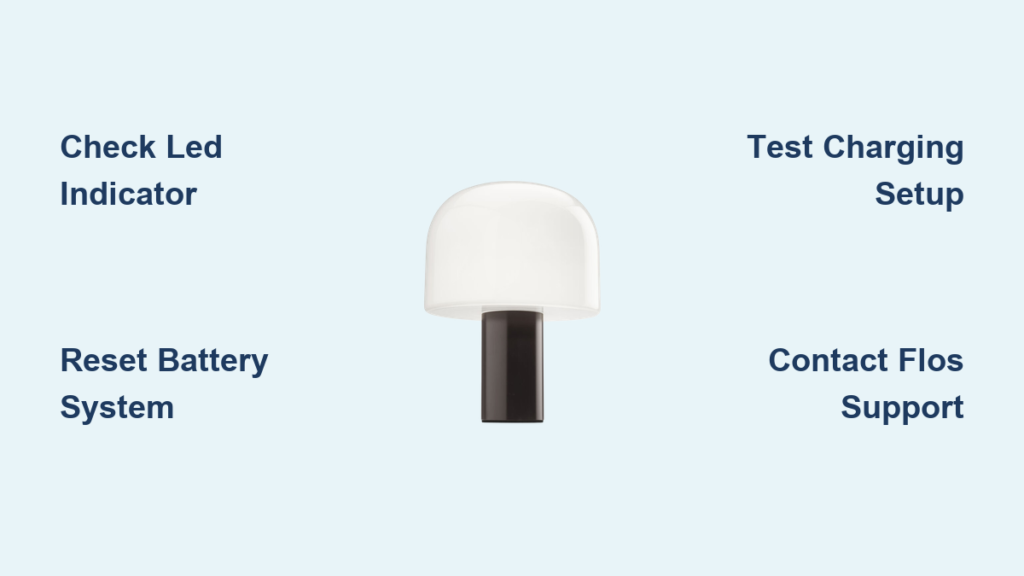
You’ve placed your sleek Flos Bellhop lamp on the nightstand, pressed the button, and nothing happens. No soft glow, no indicator light, not even a flicker. It’s frustrating when you’re relying on its elegant design and portable lighting. If your Flos Bellhop lamp is not working, you’re not alone. Many users experience sudden failures despite proper use. The good news is most issues stem from simple, fixable causes, especially related to charging, battery health, or button functionality.
This guide walks you through diagnosing and resolving every common reason your Bellhop lamp won’t turn on or charge, using only factory-supported methods and official technical specifications. You’ll learn how to interpret the LED indicator signals, reset the battery protection system, troubleshoot dimming failures, and determine when professional service is required.
Check Charging Status First
Before assuming hardware failure, verify the current charge level using the built-in LED indicator. The Flos Bellhop lamp not working issue often resolves with a proper charge.
Read the LED Indicator Signals
The LED Indicator at the base communicates battery status clearly. Understanding these signals helps you determine if charging is needed or if the battery is the problem.
• Rapid flash every 0.5 seconds: Battery below 20% and needs immediate charging
• Slow flash every 1 second: Charging between 20% and 90%
• Solid light: Fully charged at 100%
• Rapid flash every 0.2 seconds during use: Low battery warning, light will dim automatically after 6 hours
If the LED doesn’t light up when plugged in, proceed to the next troubleshooting steps.
Test the Charging Setup
Even a minor fault in the charging chain can prevent power delivery. Follow these steps to verify your charging equipment is working properly.
- Use the correct cable. Ensure you’re using a working USB-C cable, preferably the original or a certified one.
- Try a different power source. Plug into a known-working USB port such as a laptop, wall adapter, or power bank.
- Check connection points. Clean the device connector on the lamp and the USB-C plug with a dry, soft cloth.
- Wait 1 minute. After connecting, observe if the LED starts flashing slowly.
Warning: No light after plugging in could mean the battery is completely drained or the charging circuit is inactive.
Reset the Battery Protection System
The Bellhop lamp includes a built-in battery protection system designed to preserve lifespan over 500 recharge cycles. But if the battery discharges fully and sits unused for too long, it may enter deep sleep mode, appearing dead even when connected to power.
Force Reboot the Lamp
Follow this sequence to reactivate a dormant battery and restore functionality.
- Plug the lamp into the charger using a reliable USB-C cable.
- Press and hold the push button for 15 seconds.
- Release the button, then wait 30 seconds.
- Observe the LED indicator. If it flashes slowly or rapidly, charging has resumed. If there’s still no response, repeat step 2 once more.
This forces the internal circuitry to reset and re-engage communication with the battery.
Pro Tip: Some users report success after leaving the lamp plugged in for up to 24 hours after the reset, especially if the battery was deeply discharged.
Diagnose Button and Dimming Issues

Even with a charged battery, a malfunctioning push button can prevent the lamp from turning on or cycling through brightness levels properly.
Test the Push Button Function
The push button controls all operations including on/off and dimming. Perform these checks to verify the button is working correctly.
Listen and feel. When pressing the button, there should be a slight tactile click. Cycle through modes. Each press increases or decreases brightness until off. First press gives 100%, second gives 70%, third gives 30%, fourth gives 3%, and fifth turns the lamp off. Activate Night Shift. Hold the button for 3 or more seconds to jump directly to 3% brightness, which works from any state.
If the lamp shows no response but the LED flashes when charging, the button may be stuck or faulty and requires further attention.
Clean Around the Button
Dust or residue can interfere with electrical contact and cause the button to malfunction. Use a cotton swab lightly dampened with water, not alcohol. Gently clean around the edge of the button and let dry completely before testing again.
Never use solvents like alcohol or acetone because these can damage the finish and internal seals.
Evaluate Battery Health and Lifespan
The Flos Bellhop uses a non-replaceable lithium-ion battery pack. While designed for long life, batteries degrade over time, especially if left uncharged for extended periods.
Understand Battery Expectations
The battery performance varies depending on brightness settings and storage conditions.
| Condition | Expected Behavior |
|---|---|
| Fully charged, 100% brightness | 6 hours runtime |
| Lower settings such as 30% | Up to 24 hours |
| Turned off, stored | Holds charge for approximately 30 days |
If your lamp only works briefly or won’t hold a charge, the battery may have reached end-of-life and needs professional assessment.
Signs of Battery Failure
Watch for these warning signs that indicate battery degradation or failure.
• Charges quickly but drains in minutes
• LED flashes erratically even when plugged in
• Lamp turns off unexpectedly at high brightness
• No power after multiple reset attempts
Important: The battery cannot be replaced by the user. Attempting to open the device voids warranty and creates safety risks.
Rule Out Environmental and Storage Problems
Sometimes the problem isn’t the lamp itself but how and where it has been stored. Environmental factors can significantly impact battery health and device functionality.
Avoid Long-Term Discharge
Leaving the Bellhop unplugged for more than 30 days risks complete battery discharge, which can trigger permanent shutdown. Best practice is to recharge every 3 to 4 weeks if not in use. Store in a dry, room-temperature environment and keep away from direct sunlight or heat sources.
Prevent Corrosion and Moisture Damage
Although the Bellhop is indoor-rated, moisture exposure can cause internal corrosion. Check for condensation inside the diffuser, sticky or discolored areas near the base, or an unusual smell when charging. If any of these are present, discontinue use and contact Flos support immediately.
Replace Faulty Charging Accessories
A defective cable or power adapter mimics lamp failure. Before assuming the worst, verify your charging accessories are working properly.
Verify with Known-Good Components
Test using a different USB-C cable, preferably 3A-rated. Use a working wall charger with 5V/1A minimum output. Try a powered laptop USB port as an alternative power source.
If the lamp works with different accessories, then the original cable or adapter was the issue. If there’s still no response, the fault lies within the lamp’s internal charging module.
Inspect the Device Connector
Look closely at the charging port on the lamp’s base. Check if it is bent, dirty, or obstructed. Use a flashlight and soft brush such as a clean toothbrush to remove debris. Do not insert metal objects into the port.
Contact Flos Support for Repair
When all troubleshooting fails, professional service is the only safe option. Attempting DIY repairs on this device can be dangerous and will void your warranty.
When to Seek Help
Contact Flos if the lamp shows no sign of life after reset and extended charging. Also reach out if the LED indicator never activates, the battery swells or gets hot during charging, or you suspect internal damage.
How to Get Assistance
- Visit the Flos Official Online Store or authorized retailer
- Provide your model number F1060075
- Describe symptoms and steps already taken
- Request repair or replacement under warranty if applicable
Note: Flos handles all repairs involving non-replaceable components. Do not attempt DIY fixes.
Prevent Future Failures
Keep your Bellhop lamp working reliably with simple maintenance habits. Regular care extends the life of your lamp and prevents common issues.
Charge Regularly
Recharge every 3 to 4 weeks even if unused. Don’t wait for full discharge before charging. Use only USB-C cables in good condition.
Use Correctly
Avoid dropping or impact damage. Never cover the lamp while turned on because this can cause overheating. Clean only with a soft, dry cloth.
Store Smart
Store upright in a cool, dry place. Remove from charger once fully charged. Use the Night Shift function at 3% for bedtime lighting to extend battery life between charges.
Key Takeaways for Fixing Your Flos Bellhop Lamp
A Flos Bellhop lamp not working is usually due to low battery, deep discharge, or charging issues rather than permanent failure. By checking the LED indicator, resetting the system, testing accessories, and maintaining proper charge cycles, most problems can be resolved at home. The LED signals are your primary diagnostic tool. Rapid flashing means charge below 20%, slow flashing means charging in progress, and solid light means fully charged. Remember that the battery and light source are non-replaceable by users, so professional support from Flos is essential for hardware faults. With proper care, your Bellhop can provide beautiful, portable light for years.
Frequently Asked Questions About Flos Bellhop Lamp Not Working
Why won’t my Flos Bellhop lamp turn on at all?
Your lamp may have a deeply discharged battery or a malfunctioning push button. First, check the LED indicator by plugging in the charger. If no light appears, perform the 15-second reset procedure. If the LED flashes during charging but the button doesn’t respond, the button may be stuck and needs cleaning.
How do I know if my Bellhop battery is dead?
Signs of a dead or failing battery include charging quickly but draining in minutes, LED flashing erratically even when plugged in, and the lamp turning off unexpectedly at high brightness. If your lamp shows no signs of life after multiple reset attempts and 24 hours of charging, the battery likely needs professional replacement.
What does it mean when the LED flashes rapidly?
Rapid flashing every 0.5 seconds means the battery is below 20% and needs immediate charging. Rapid flashing every 0.2 seconds during use is a low battery warning indicating the light will dim automatically after 6 hours of continuous use.
Can I replace the battery in my Flos Bellhop lamp?
No, the battery pack cannot be replaced by the user. The Flos Bellhop uses a non-replaceable lithium-ion battery. Contact Flos directly for battery replacement or repair services. Attempting to replace the battery yourself voids the warranty and creates safety risks.
How long should I charge my Flos Bellhop lamp?
The complete charging time is approximately 3 hours. The LED indicator shows solid light when fully charged. Do not leave the lamp connected to power adapter beyond the indicated charging time, though the self-protection system prevents battery damage from overcharging.
Why does my Bellhop lamp only work for a few hours?
At 100% brightness, the Bellhop provides 6 hours of runtime. If you’re experiencing shorter runtime, the battery may be degrading. Reducing light intensity can maximize lifespan up to 24 hours. If runtime has significantly decreased, the battery may be approaching end-of-life and professional service is needed.