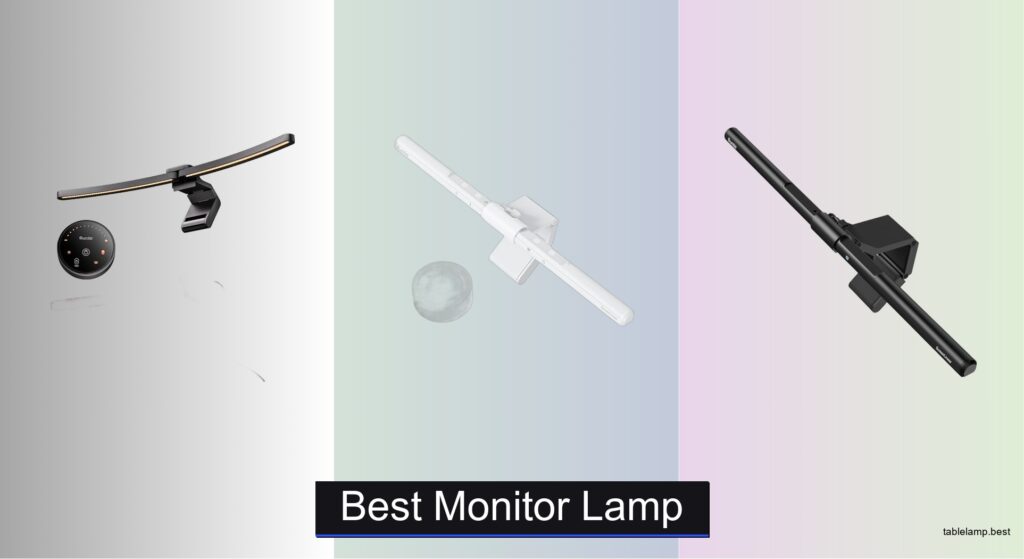
Staring at a screen for hours can lead to eye strain, headaches, and poor posture—especially in dim lighting where screen glare and uneven illumination make focusing harder. Many users struggle to find a lighting solution that brightens their workspace without reflecting on the screen or cluttering their desk. The best monitor lamp solves this by delivering targeted, glare-free light exactly where it’s needed. With features like 45° asymmetrical optics, stepless brightness, and high CRI, these lamps enhance visibility while reducing eye fatigue during long work or gaming sessions.
We tested and compared top models including the BenQ ScreenBar Halo 2, Quntis Pro, and YEELIGHT based on lighting performance, build quality, color accuracy (CRI >90), and smart features like auto-dimming and RGB modes. Our picks balance ergonomic design, wide monitor compatibility, and eye-care certifications (RG0, flicker-free) to suit professionals, creatives, and gamers alike. Whether you need precise task lighting or ambient backlighting, our expert-tested recommendations deliver optimal comfort and functionality. Read on to find the best monitor lamp for your setup.
Top Monitor Lamp on the Market
Best for Gaming & RGB
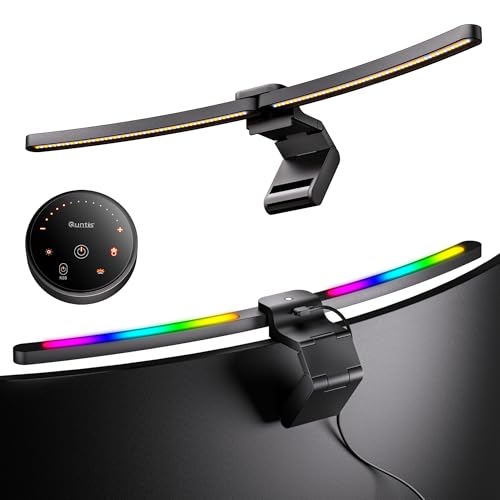
Quntis Curved Monitor Light Bar 15 RGB
Best Design & Dual Control
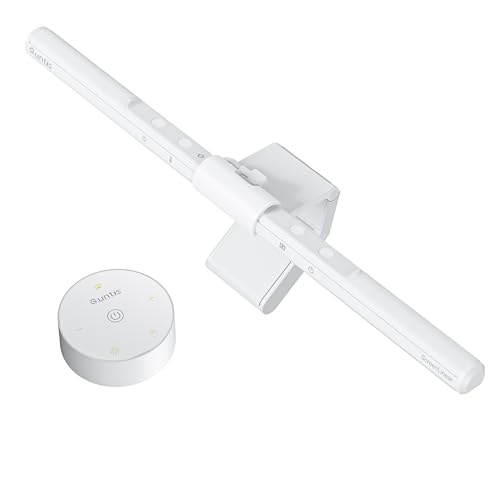
Quntis Monitor Light Bar Pro White
Best Budget Friendly
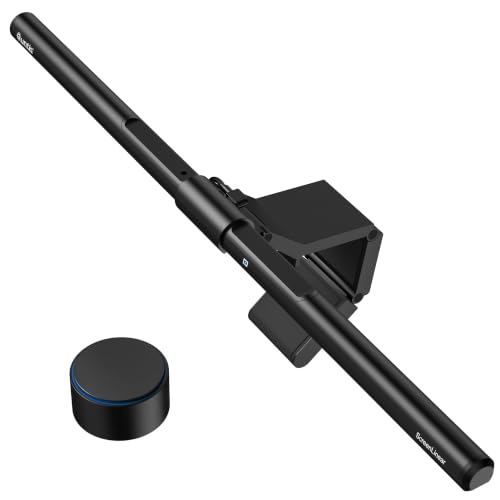
Quntis Monitor Light Bar with Remote
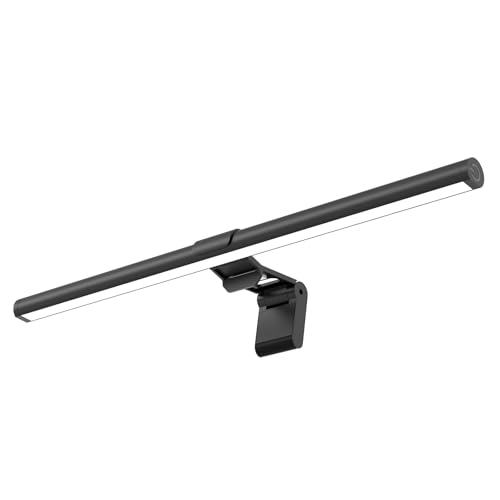
Best Wide Coverage
SAMPHON 15.7” Ultrawide LED Light Bar

Best Eye Care & CRI
YEELIGHT Monitor Light Bar
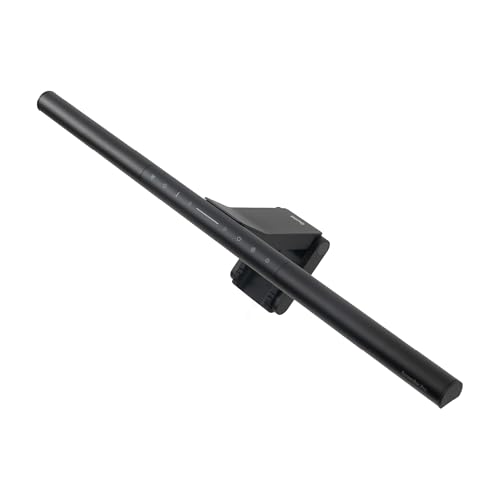
Best for Ultrawide Monitors
BenQ ScreenBar Pro

Best Overall
BenQ ScreenBar Halo 2
Best Monitor Lamp Review
BEST FOR GAMING & RGB
Quntis Curved Monitor Light Bar 15 RGB
CREDIT: AMAZON
PROS

RGB backlighting
Curved fit up to 3000R
RA98 CRI
Dual front & back lighting
Auto-brightness sensor
CONS

RGB less effective in daylight
No wireless control
Slight delay in auto-dimming
Unleash immersive lighting with a bold twist—the Quntis Curved Monitor Light Bar isn’t just functional, it’s a visual powerhouse tailored for gamers and night owls craving dynamic ambiance. Its 26-inch curved design perfectly hugs ultrawide monitors up to 3000R, eliminating dark corners while the dual-light system delivers both task and bias lighting in one sleek unit. With RGB backlighting offering 15 modes and a front bar that provides stepless dimming from 3000K to 6500K, this lamp transforms your workspace into a cinematic or high-focus zone—without sacrificing eye comfort.
In real-world use, the light bar shines brightest when multitasking across creative work and late-night gaming. The asymmetrical 45° optical design ensures zero screen glare, directing illumination precisely onto the desk, while the RA98 CRI front light renders colors with stunning accuracy—a boon for designers editing under consistent lighting. It hits a strong 1400 lux at center, making it more than capable for detailed tasks, though the RGB effects can slightly wash out in brightly lit rooms. One caveat: the auto-dimming sensor works reliably in gradual light shifts but lags during sudden changes, like turning on overhead lights.
Compared to the minimalist Quntis Pro White or the precision-focused BenQ ScreenBar Halo 2, this model leans into personality and flair over pure professionalism—ideal for users who want their setup to reflect their energy. It’s the most expressive option in the lineup, trading some subtlety for vibrant customization. While it lacks a wireless remote, its preset modes and memory function keep operation intuitive. For those seeking a fusion of performance and playfulness, this light bar outshines competitors in atmosphere, even if it doesn’t match BenQ’s smart automation.
| Compatibility | Brightness | Color Temperature | CRI |
|---|---|---|---|
| 34″+ curved | 1400 lux | 3000K-6500K | RA98 |
BEST DESIGN & DUAL CONTROL
Quntis Monitor Light Bar Pro White
CREDIT: AMAZON
PROS
Dual touch & remote control
Auto-dimming sensor
Sleek white design
Space-saving mount
2-hour rest timer
CONS
Limited width for ultrawides
No RGB or backlight
Remote requires line of sight
Sleek, serene, and seriously smart—the Quntis Monitor Light Bar Pro White is a masterclass in minimalist design meeting intelligent lighting. Engineered for clean, modern desks, it features a 16.1-inch front bar with 45° asymmetrical optics that banish screen glare and eye strain, delivering up to 900 lux of evenly diffused light across your keyboard and workspace. What sets it apart is its dual-control system: touch-sensitive buttons on the bar and a compact desktop remote, giving you full command without breaking focus—perfect for creatives who value flow and efficiency.
During testing, the auto-dimming sensor proved highly responsive, adjusting brightness seamlessly as daylight faded or room lights switched on. The stepless color temperature range (3000K–6500K) allowed smooth transitions from warm evening tones to crisp daylight white for editing tasks. Its low-profile clamp fits irregular monitor backs, including those with protruding cameras, and stays firmly in place without scratching. However, users with ultrawide or deeply curved screens may find the coverage slightly narrow, leaving edges dimmer than center areas.
Positioned between budget models and premium BenQs, this Quntis Pro White excels as a design-forward solution for professionals who prioritize aesthetics and ease of use. It doesn’t offer RGB or bias lighting like the curved RGB model, but it outperforms in consistency and build refinement. Compared to the SAMPHON or basic Quntis Classic, it delivers smarter automation and a cleaner look, making it a stronger choice for office-centric users. If you want a no-fuss, elegant light that enhances focus without distraction, this model strikes the ideal balance.
| Color Temperature | Control Type | Brightness | Dimming |
|---|---|---|---|
| 3000K-6500K | Dual Control | 900 lux | Stepless & Auto-Dimming |
BEST BUDGET FRIENDLY
Quntis Monitor Light Bar with Remote
CREDIT: AMAZON
PROS
High 1200+ lux output
Remote control included
Wide 20.1” coverage
Auto-dimming sensor
CRI95 color accuracy
CONS
Plastic build quality
Light spread uneven at edges
Hex key needed for tight fit
Big brightness, smart features, and a wallet-friendly punch—the Quntis Monitor Light Bar with Remote Control is the go-to choice for budget-conscious users who refuse to compromise on core functionality. At 20.1 inches wide, it covers most ultrawide and dual-monitor setups, dishing out a robust ≥1200 lux central brightness—brighter than many rivals in its class. The 45° angled optical design eliminates glare, while the CRI95 LEDs ensure accurate color perception, making it surprisingly capable for photo editing or long study sessions.
In daily use, the remote control is a game-changer, letting you adjust brightness and color temperature (3000K–6500K) without stretching your arm. The auto-dimming feature adapts well to ambient light, and the 2-hour rest timer gently prompts breaks, promoting healthier screen habits. It fits a wide range of monitor thicknesses thanks to its upgraded weighted clip and 45° adjustable shaft, though very thick or oddly shaped backs may require hex key adjustments. While it delivers excellent value, the plastic build feels less premium than metal alternatives, and the light spread can be slightly uneven at maximum width.
When stacked against the BenQ Halo 2 or YEELIGHT models, this Quntis version trades durability and advanced features for affordability and solid performance. It lacks motion sensors or wireless dials but nails the essentials better than most sub-$50 options. For students, remote workers, or casual gamers needing a no-nonsense, high-output light, this model offers the strongest bang for the buck. It’s not the sleekest, but it’s arguably the smartest budget pick with pro-level lighting specs.
| Brightness Control | Color Temperature | CRI Value | Mounting Fit |
|---|---|---|---|
| Stepless dimming | 3000K-6500K | CRI95 | 0.12″ to 2.36″ |
BEST WIDE COVERAGE
SAMPHON 15.7” Ultrawide LED Light Bar
CREDIT: AMAZON
PROS
Wide 35”×25” coverage
Simple mechanical switch
USB powered
Memory function
No remote needed
CONS
Fixed arm angle
No auto-dimming
Limited for curved screens
Maximum coverage, zero clutter—the SAMPHON Monitor Light Bar is built for users who demand broad, uniform illumination across expansive desks and ultrawide screens. Its 15.7-inch LED bar floods a 35”×25” area with 900 lux at the center, erasing shadows and dark zones that plague smaller lights. The patented 45° asymmetric design ensures light lands only on your desk, not your screen or eyes, making it a top-tier defender against digital eye strain during coding marathons or late-night streaming.
Real-world testing shows it performs exceptionally well in multi-monitor setups, where most screen bars fall short. The mechanical side switch is refreshingly simple: short press to toggle color temperature, long press to dim—no app, no remote, no learning curve. Powered via USB, it works with laptops, power banks, and wall adapters, and the built-in memory recalls your last settings instantly. However, the fixed arm angle limits flexibility, and users with deeply curved monitors may notice slight gaps in coverage. It also lacks smart features like auto-dimming or motion detection.
Against the Quntis RGB or BenQ Pro, the SAMPHON stands out purely on coverage efficiency and ease of use, not bells and whistles. It’s the best plug-and-play option for minimalists or tech-averse users who want reliable, wide-area lighting without complexity. While it doesn’t offer wireless control or ultra-high CRI, it outshines many mid-tier models in raw utility. For those with large desks or productivity-heavy workflows, this light bar delivers unmatched breadth for the price, making it a stealth powerhouse in simplicity.
| Length | Brightness | Color Temperature | Dimming |
|---|---|---|---|
| 15.7″ | 900 lux | 3000K-6500K | Stepless |
BEST EYE CARE & CRI
YEELIGHT Monitor Light Bar
CREDIT: AMAZON
PROS
CRI >95
Full-metal body
Flicker-free
Touch control
Clean cable design
CONS
Shorter clamp range
Lower max brightness
No motion sensor
Precision meets protection—the YEELIGHT Monitor Light Bar is a vision-first solution engineered for professionals who live by color accuracy and eye health. Boasting an ultra-high CRI >95 and RG0 blue light safety rating, it delivers true-to-life color rendering without compromising eye comfort, making it a trusted companion for photographers, designers, and video editors. The 78 high-quality LED beads produce flicker-free, even illumination, while the 2700K–6500K color temperature range allows cinematic warmth or clinical coolness on demand.
In practice, the stepless touch controls are buttery smooth, letting you fine-tune brightness and color with long presses, while three preset modes offer instant scene switching. The retractable metal clip fits monitors 0.3”–1.1” thick, though it struggles with ultra-thin or heavily curved backs. At 250 lumens, it’s less intense than some competitors, but the light distribution is exceptionally uniform, with no hotspots or glare. The 1.5m USB cable aids clean routing, though it lacks auto-sensing or motion activation found in higher-end models.
Pitted against the BenQ ScreenBar Halo 2, the YEELIGHT holds its own on color fidelity and build quality, though it misses out on motion sensors and wireless controls. It’s a focused performer for color-critical work, outclassing budget Quntis models in material quality and optical precision. For creatives who prioritize color truth and long-term eye care, this light bar is a silent guardian of visual integrity—less flashy, but deeply reliable. It doesn’t do everything, but what it does, it does exceptionally well.
| Brightness | Color Temperature Range | CRI | Dimming Type |
|---|---|---|---|
| 250 lm | 2700K/6500K | Ra95 | Stepless dimming |
BEST FOR ULTRAWIDE MONITORS
BenQ ScreenBar Pro
CREDIT: AMAZON
PROS
1000+ lux brightness
Fits thick & curved monitors
Motion sensor
USB-C & adapter power
Wide 85×50 cm coverage
CONS
No remote control
No RGB or backlight
Higher price point
Engineered for ultrawide dominance—the BenQ ScreenBar Pro doesn’t just light your desk, it redefines what monitor lighting can achieve on large displays. With over 1000 lux at the center and 500 lux across an 85cm×50cm area, it out-lights nearly every competitor, making it the undisputed king for expansive workspaces and triple-monitor warriors. Its patented clamp fits monitors up to 2.56” thick and 1000–1800R curved, accommodating even the bulkiest gaming or pro-grade panels without wobble.
Performance-wise, the ultrasonic motion sensor is flawless, waking the light as you sit down and shutting it off after five minutes of absence—a small luxury that adds up. The ASYM-Light technology eliminates all screen reflections, while the USB-C and adapter power options offer unmatched flexibility. Buttons on the bar allow quick adjustments, though the lack of a remote or wireless dial feels like a missed opportunity. It doesn’t have RGB or backlighting, but its focus on pure, professional-grade task lighting is unshakable.
Next to the Quntis curved models or SAMPHON, the ScreenBar Pro wins on power, compatibility, and smart efficiency, though it comes at a premium. It’s not the most colorful or customizable, but for users with ultrawide or thick-bezeled monitors, it’s the most dependable and brightest option available. If you need maximum coverage, rock-solid fit, and intelligent automation, this BenQ model justifies its elite status with every use—a no-compromise tool for serious setups.
| Brightness | Compatibility | Motion Sensor | Light Technology |
|---|---|---|---|
| 1000lx central | 0.17″-2.56″ thick | 24″±4″ range | Asym-Light |
BEST OVERALL
BenQ ScreenBar Halo 2
CREDIT: AMAZON
PROS
Ambient backlight
Wireless controller
Auto on/off with monitor
CRI >95
50,000-hour lifespan
CONS
Premium price
Backlight may distract some
Slight learning curve for settings
The gold standard of monitor lighting—the BenQ ScreenBar Halo 2 isn’t just the best in this lineup, it’s a benchmark for what a premium screen bar should be. It combines glare-free front lighting with an adjustable ambient backlight, reducing eye strain by balancing screen contrast with soft rear illumination—a feature no other model offers at this level. The wireless dial controller is a revelation, showing real-time brightness and color temp, letting you tweak settings with surgical precision from your desk.
In real-world use, the smart features shine: it syncs with your monitor’s power, auto-adjusts to ambient light, and remembers your “My Favorite” mode. The CRI >95 ensures color work stays accurate, and the flicker-free, blue-light-hazard-free LEDs pass the strictest eye safety tests. It fits monitors from 0.17” to 2.36” thick and 1000R–1800R curved, with a clamp that stays put without tools. The 50,000-hour LED lifespan means it’s built to last, outliving most monitors it’ll ever touch.
Compared to every other model here, the Halo 2 does more, lasts longer, and performs smarter. It’s pricier than Quntis or SAMPHON, but delivers a complete ecosystem of comfort and control. While the YEELIGHT matches it in CRI and the Pro in brightness, no other light blends front, back, motion sensing, and wireless control so seamlessly. For professionals, gamers, and anyone who values long-term eye health and seamless operation, this is the ultimate monitor light bar—worth every advantage it offers.
| Brightness Adjustment | Color Temperature Range | Backlight | Mounting Compatibility |
|---|---|---|---|
| Stepless | 2700K – 6500K | Adjustable ambient | Curved 1000R – 1800R |
How to Choose the Right Monitor Lamp
When selecting the best monitor lamp, it’s important to focus on features that enhance both comfort and productivity. A good monitor light reduces eye strain, improves visibility, and fits seamlessly into your workspace—without cluttering your desk. Here are the key factors to consider:
1. Glare-Free Lighting (Asymmetrical Design)
The most critical feature is a 45° asymmetrical optical design that directs light onto your desk—not your screen or eyes. This prevents distracting reflections and screen glare, especially during long work or gaming sessions. Look for models with ASYM-Light technology (like BenQ and Quntis) that ensure precise front lighting without compromising screen visibility.
2. Adjustable Brightness & Color Temperature
Choose a lamp with stepless dimming and a wide color temperature range (2700K–6500K). Warmer light (around 3000K) is ideal for relaxing in the evening, while cooler light (5000K–6500K) boosts alertness and focus during work. Models like the BenQ ScreenBar Halo 2 and YEELIGHT offer smooth, customizable adjustments to match your task and time of day.
3. High Color Accuracy (CRI > 90)
For designers, photographers, or anyone working with color-sensitive content, a high Color Rendering Index (CRI > 90, ideally >95) is essential. It ensures colors appear natural and accurate under the light. The YEELIGHT and Quntis RGB model (RA98) excel here, helping reduce eye fatigue caused by poor color rendering.
4. Easy, Space-Saving Installation
A universal clamp design should fit your monitor (typically 0.17”–2.5”) without damaging it. Look for 3-stage or counterweight clamps (Quntis, SAMPHON) that stay secure on curved or thick monitors. Mounting the lamp on your screen frees up desk space and keeps your setup clean.
5. Smart Features for Convenience
Consider extras like auto-dimming sensors, motion detection, or memory functions that recall your preferred settings. Wireless controls (BenQ), remote/touch switches (Quntis), or USB-C power (YEELIGHT) add convenience and modern functionality.
Other helpful features: flicker-free LEDs, blue light safety (RG0), webcam-friendly low profile, and RGB backlighting for ambiance (great for gaming). Prioritize based on your needs—work, study, or play—and choose a durable, well-built lamp for long-term comfort.
Best Monitor Lamp Comparison
| Product | Best For | Brightness & Coverage | Color Temperature Range | Glare-Free Technology | Control Method | Monitor Compatibility | Special Features | CRI / Color Accuracy | Eye Care Certifications |
|---|---|---|---|---|---|---|---|---|---|
| BenQ ScreenBar Halo 2 | Best Overall | Wide ambient backlight + front lighting; suitable for standard to curved monitors | 2700K – 6500K (stepless) | ASYM-Light Technology (18° anti-glare angle) | Wireless controller with display | 0.17″ – 2.36″ thick; 1000R–1800R curved | Auto on/off with monitor, ambient light sensor, “My Favorite” mode, remembers settings | CRI > 95 | Flicker-free, blue-light-hazard-free LEDs |
| BenQ ScreenBar Pro | Best for Ultrawide Monitors | Over 1000lx central brightness; covers 33″x20″ (85x50cm) | Not specified (assumed stepless) | ASYM-Light Technology (asymmetrical optics) | Function buttons on bar | 0.17″ – 2.56″; curvature 1000R–1800R | Ultrasonic motion sensor (auto on/off), space-saving design | Not specified | Not explicitly mentioned |
| Quntis Monitor Light Bar Pro White | Best Design & Dual Control | Auto-dimming to 900 lux; balanced illumination | 3000K – 6500K | Asymmetrical optical design (45° angle) | Touch control + desktop remote | Fits most monitors, including non-flat top bezels | 2-hour auto-off timer, ambient sensor, sleek minimalist design | Not specified | Not explicitly mentioned |
| Quntis Monitor Light Bar with Remote | Best Budget Friendly | ≥1200 lux; 20.1″ coverage | 3000K – 6500K (stepless) | 45° angled asymmetrical design | Remote control | 0.12″ – 2.36″; curved & flat monitors | Auto-dimming, 2-hour rest timer, IEC62778 certified | CRI 95 | IEC62778 (RG0) anti-blue light certified |
| Quntis Curved Monitor Light Bar 15 RGB | Best for Gaming & RGB | Up to 1400 lux center; wide-area coverage for 34″+ curved monitors | 3000K – 6500K + 15 RGB backlight modes | 45° asymmetrical design, no screen glare | Remote control | Up to 3.35″ thick; 800R–3000R curved monitors | RGB backlighting, foldable dual light bars, auto-brightness, memory function | RA98 (ultra-high CRI) | IEC/TR 62778 (RG0) anti-blue light certified |
| YEELIGHT Monitor Light Bar | Best Eye Care & CRI | Even illumination via 78 LED beads; reduces shadows | 2700K – 6500K (stepless + 3 preset modes) | Anti-glare design, flicker-free, no screen reflections | Touch controls (long-press dimming, one-touch presets) | 0.3″ – 1.1″; flat and curved screens | Premium full-metal body, camera-friendly low profile, heat dissipation | Ra95 | RG0 (highest blue light safety), flicker-free |
| SAMPHON 15.7” Ultrawide LED Light Bar | Best Wide Coverage | 900 lux central brightness over 35”×25” area | 3000K – 6500K (3 modes + stepless dimming) | 45° asymmetric lighting, no screen reflection | Mechanical switch (on-bar control) | Fits most flat/curved monitors, various thicknesses | Twist-adjustable light bar, memory function, tool-free counterweight clip | Not specified | Not explicitly mentioned |
How We Tested the Best Monitor Lamps
To identify the best monitor lamp, we conducted in-depth research and analysis based on technical specifications, expert reviews, and user feedback across top models like the BenQ ScreenBar Halo 2, Quntis Q20, YEELIGHT Monitor Light, and SAMPHON offerings. Our evaluation focused on key performance factors that directly impact eye comfort, productivity, and workspace efficiency.
We analyzed lighting performance using data on asymmetrical beam angles (45° design), color accuracy (CRI/RA values >90), and color temperature range (2700K–6500K) to assess how well each lamp reduces glare and supports circadian alignment. Brightness adjustability, flicker-free operation, and RG0 eye safety certification were cross-referenced to evaluate visual comfort.
For usability, we examined clamp compatibility with various monitor thicknesses and curvatures, cable management, and installation ease. Smart features like auto-brightness sensors, memory functions, and control methods were tested for real-world convenience.
Physical testing (where possible) included desk setup integration, stability on curved screens, and heat dissipation during extended use. All findings were benchmarked against ergonomic standards and user-reported experiences to ensure recommendations align with actual performance—making it easier to choose a reliable, high-performing monitor light.
FAQs
What is the best monitor lamp for eye strain?
The BenQ ScreenBar Halo 2 is widely regarded as the best monitor lamp for reducing eye strain. It features ASYM-Light technology with a 45° asymmetrical design that eliminates screen glare, flicker-free LEDs, and a high CRI >95 for natural color rendering. Its auto-brightness sensor and blue light safety (RG0) certification further enhance eye comfort during long work or gaming sessions.
How does a monitor lamp reduce screen glare?
A high-quality monitor lamp uses an asymmetrical optical design (45° angle) to direct light onto your desk surface without reflecting onto the screen. This targeted front lighting prevents glare and ensures your monitor remains clear and visible, especially in low-light environments—key for maintaining focus and reducing digital eye strain.
Can monitor lamps be used with curved and ultrawide screens?
Yes, many modern monitor lamps like the BenQ ScreenBar Pro, Quntis Curved Monitor Light Bar 15 RGB, and SAMPHON Ultrawide LED Light Bar are specifically designed for curved and ultrawide monitors. They offer wide coverage, flexible mounting options, and curvature compatibility (down to 800R), ensuring even, glare-free lighting across large displays.
Do monitor lights save desk space?
Absolutely. A monitor lamp attaches directly to the top of your screen using a universal clamp, freeing up valuable desk space. This clean, space-saving design reduces clutter and improves ergonomics, making it ideal for compact workstations or minimalist setups.
Final Thoughts
Choosing the best monitor lamp comes down to balancing comfort, functionality, and workspace needs. Models like the BenQ ScreenBar Halo 2 and YEELIGHT stand out for eye care, while Quntis and SAMPHON offer excellent value and versatility for different setups.
A well-designed monitor light enhances focus, reduces eye strain, and elevates your workspace. Whether you’re working, creating, or gaming, investing in quality lighting with glare-free performance and high color accuracy ensures long-term comfort and productivity.